A trade show booth lives or dies on the first ten seconds. Someone walks the aisle, glances at your space, and decides whether to slow down. If your monitor is dark, frozen on a desktop, or blasting audio into the booth next door, they keep walking.
After 25 years of setting up booths in Nashville, I can tell you the screen is rarely the problem. The problem is everything around the screen: the stand, the source, the content, the sound and who is around when something goes sideways. Here is how I think about booth AV that works all show long.
Pick the screen for the space, not the spec sheet
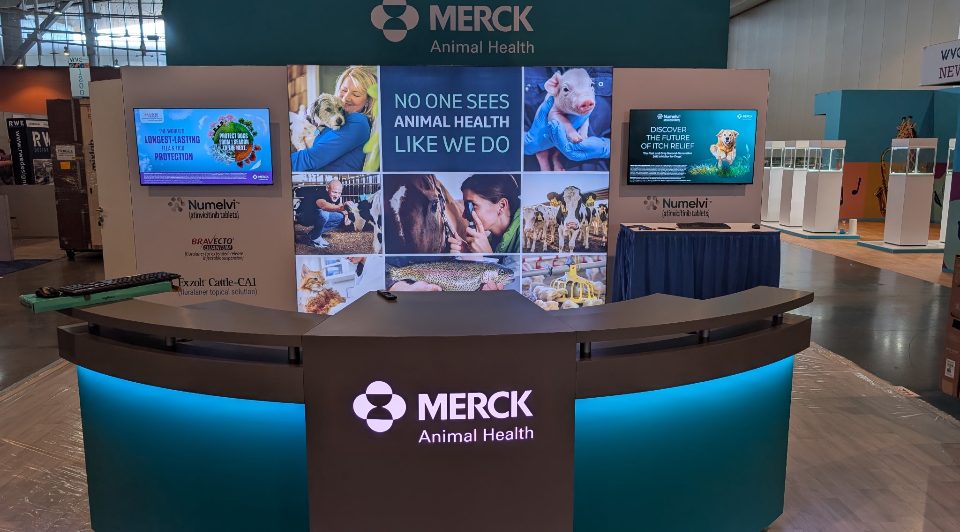
Most single booths I see want one good display. Our monitors run from 43 to 90 inches, and the right size depends on your booth footprint and how far back a visitor will stand.
- 43 to 55 inches: a good fit for a 10 by 10 booth, a demo station or a product table where people lean in.
- 65 to 75 inches: works for a typical inline booth where you want the screen read from the aisle.
- 85 to 90 inches: the statement piece, for bigger footprints or a back wall that needs to pull people in from across the hall.
If you want something larger than a single screen, a video wall is the next step up, and a touchscreen demo station works well when your product needs hands on. Bigger is not always better. A 90 inch screen in a tight 10 by 10 can crowd your own team out of the booth. When in doubt, send me your booth drawing and the show hall, and I will tell you what I would put there.
Floor stands beat leaning on the furniture
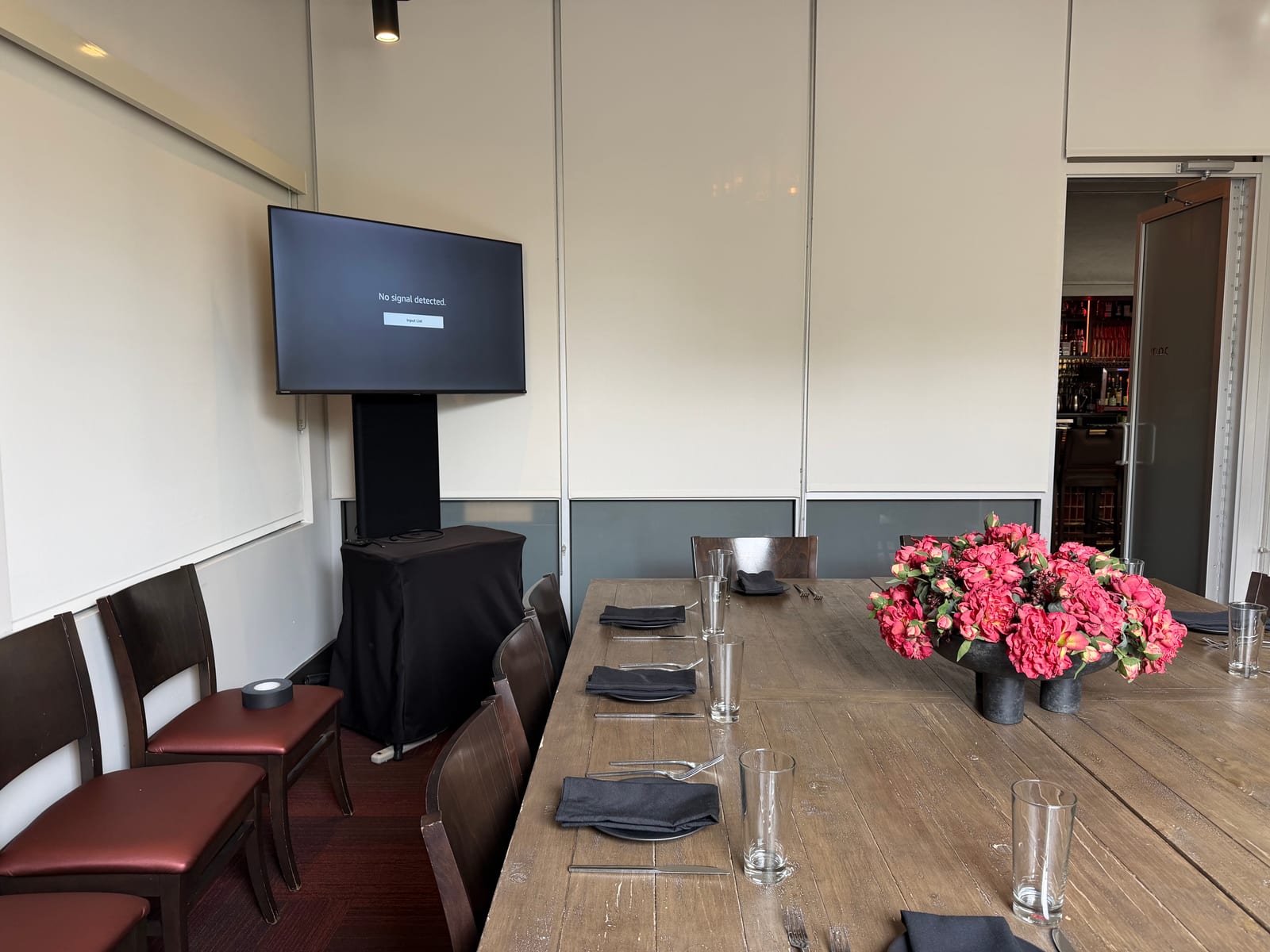
A monitor on a floor stand gives you one thing a tabletop never does: height. The screen sits at eye level, the cables run down the stand instead of across your counter, and nothing wobbles when someone bumps the table. It also frees up your counter space for brochures, a laptop and a bowl of candy.
Tell me early if your booth has a back wall, a pillar or a custom structure. Where the screen goes decides whether it gets a stand, a wall mount or a spot on the counter, and that is much easier to settle before load-in than at 7 in the morning on setup day.
Let a media player run your content, not a laptop
This is the one I wish every exhibitor knew. A laptop plugged into a monitor is a recipe for a screen saver, a software update pop-up or a closed lid at 2 in the afternoon.
Instead, we put a media player behind the screen and loop your content on it. Your video plays from start to finish, restarts on its own, and keeps going while your team talks to visitors. No one has to touch it.
What you do: send the content ahead, either on a USB drive or by email. We load it, test it and have it looping before the doors open. If your video gets revised the week before the show, send the new version and we swap it. The earlier we have the file, the more time we have to catch a problem, like a clip in the wrong shape for the screen or audio that is too quiet.
Sound that does not bother your neighbors
A trade show floor is loud already. Your booth neighbors did not pay to hear your video on repeat all day, and show management notices the exhibitor who keeps getting complaints.
The fix is to keep the sound where it belongs. A small booth speaker aimed at your own space, at a volume that works for people standing in the booth and not the whole aisle, is usually plenty. Many looping videos work fine with captions and no sound at all, with the audio saved for the moments you want it. If you have a presenter doing live demos, a wireless presenter mic lets the person at the front of the booth be heard without shouting.
Decide before you ship the content whether your video needs sound at all. That one choice shapes everything after it.
Delivery, setup and tear-down on the show clock
Exhibitor deadlines are real. At the convention hotels and halls in Nashville, such as Music City Center, Gaylord Opryland and the Renaissance, there is a window for move-in and the clock does not stop for a late truck. We deliver and set up before the exhibitor deadline, test the screen and the sound, and leave you ready when the aisle opens.
After the show closes, we come back for tear-down. You do not have to carry a 75 inch monitor to your car or find somewhere to return it. For my money, that is the best part of renting from a local crew: you are not stuck coordinating pickups on the last tired afternoon of the show.
A short checklist before you call
Send me these and your quote is quick and accurate:
- Your booth size and a drawing or photo of the space
- The venue and the show dates, including your move-in window
- How many screens you want and where they should go
- Whether you need sound, a presenter mic or both
- Your looping content, or the date you will have it
- Any rules from show services about power or placement
Why I do it this way
I answer my own phone and I quote every event myself. When your booth is a single monitor on a stand, you should not have to go through a phone tree to get it. You call, I answer, I quote your booth, and my crew shows up to run it.
The best compliment I get on a booth is that nobody noticed the AV. The screen just worked, all show long, and your team spent their time talking to people instead of fixing a cable.
Ready to price your booth? Request a Quote or call me at (615) 481-4887.